FCP
Export the XML
AAFx reads .fcpxml and .fcpxmld bundles from Final Cut Pro.
 v2.0
v2.0
Final Cut Pro Pro Tools
AAFx turns a Final Cut Pro FCPXML file or .fcpxmld bundle into a self-contained AAF: roles become named tracks, every region keeps its source timecode, and the audio travels inside the file.
Full 7-day trial · no credit card · macOS 11 and later
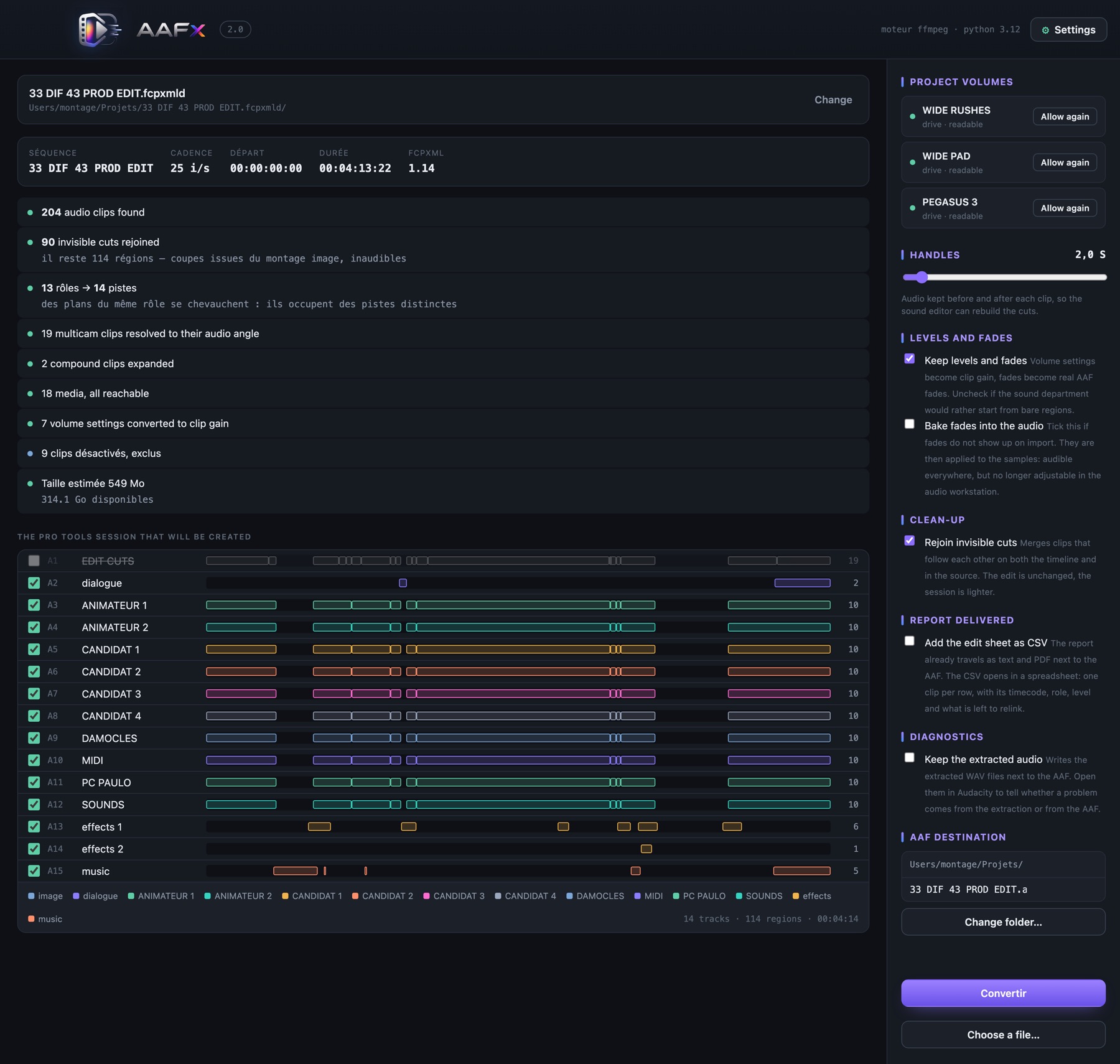
Review the session before you write it
The handover, verified before export
See the complete handover
From FCPXML import to a ready-to-mix AAF: roles, markers, adjustable handles, the silent edit-cuts guide track and offline-media relinking are all shown in the walkthrough.
A short, reliable path
One XML export, one pre-flight, one AAF that sound can open. The choices made in the edit arrive as usable information instead of a reconstruction job.
AAFx reads .fcpxml and .fcpxmld bundles from Final Cut Pro.
See the clips, roles, track count, disk space and every issue before converting.
Audio is trimmed with handles and embedded at 48 kHz / 24-bit.
Named tracks and regions arrive at the right timecode, ready to mix.
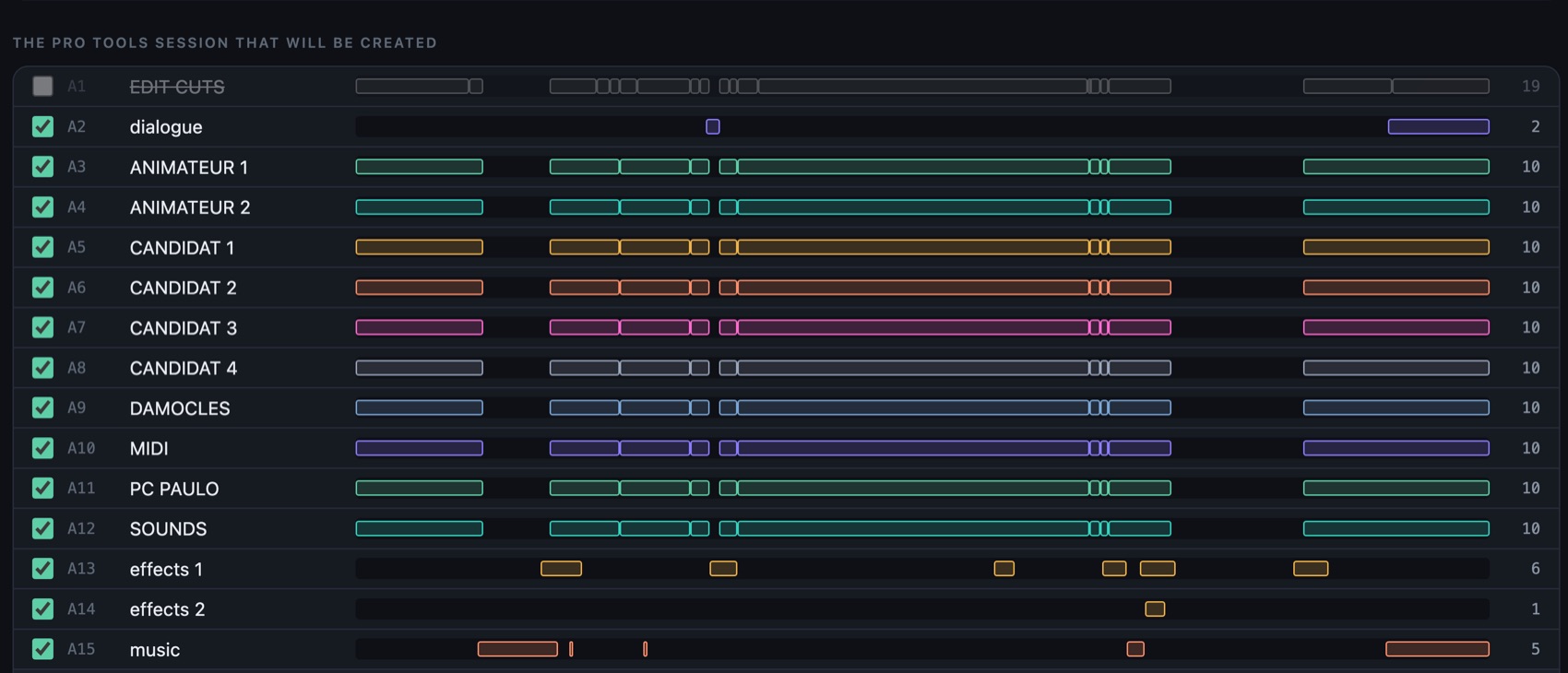
No blind conversion
AAFx makes the handover inspectable while it can still be corrected in Final Cut — rather than discovered on the dub stage.
Built for the handover
AAFx is designed around the pieces of a Final Cut timeline that make the difference between a clean session and a half-day of repair.
Final Cut roles and subroles become named tracks. The mixer opens the organisation you made, not an anonymous pile of regions.
Every region keeps the timecode of its rush, so a conform remains possible months after the edit has moved on.
Keep adjustable audio before and after each region, so sound can rebuild fades without asking for the rushes again.
An AAF received from elsewhere?
AAFx can read an existing AAF and write it again under the same rules: tracks ordered for the mixer, empty tracks removed and false cuts joined — without re-encoding the audio.
Read how AAF handles workCompatibility
AAFx reads Final Cut’s structure rather than relying on a frozen template, so the components that matter to a sound handover stay accounted for.
Read the FCPXML-to-AAF guide| Timeline element | What AAFx does |
|---|---|
| Audio roles and subroles | ✓ Converts them to named tracks |
| Multicam and compound clips | ✓ Resolves the active audio and expands the structure |
| Stereo and multichannel sources | ✓ Splits usable channels into mono tracks |
| Clip levels and fades | ✓ Carries them through as gain and automation |
| Source timecode and markers | ✓ Keeps them at their timeline position |
| Offline media | ✓ Reports it precisely, ready to relink |
| Retimed clips and pan settings | Reported for review; they are not recreated in the AAF |
Simple licences
Every download begins with the complete 7-day trial. No watermark, no credit card, no subscription.
One-time purchase · VAT not applicable under article 293 B of the French tax code
The practical questions
Need a more detailed answer? The guides are written from real deliveries, including the failures that tend to show up late.
Open troubleshootingYes. AAFx embeds the audio essence in the file, so the delivery is self-contained. A mixer who has never seen the original rushes can open it without relinking media.
Yes. AAFx shows the roles, tracks, clips, missing media, excluded clips and expected file size before it writes anything.
No. The application includes the tools it needs to read the supported media containers. There is nothing else to install or download at first launch.
AAFx supports FCPXML 1.8 through 1.14 and Final Cut Pro 10.4 through 12.3, including the .fcpxmld bundle format.
Ready for your next handover?
Download AAFx, open your own project and see the session before you decide.
Universal package · Apple Silicon and Intel · macOS 11+